Write your mandate by chatting
Describe how your desk should trade in your own words, any language, and the mandate copilot drafts the settings. Nothing applies until you approve it.
The mandate is your desk's standing instruction: objective, trading style, which markets to focus on, which data the AI may read, and how selective it must be. You can edit every field by hand, or just tell the copilot what you want, in English, Indonesian, or any language, and refine it across a few messages like you would brief a human trader.
- 1
Open the desk's Mandate panel
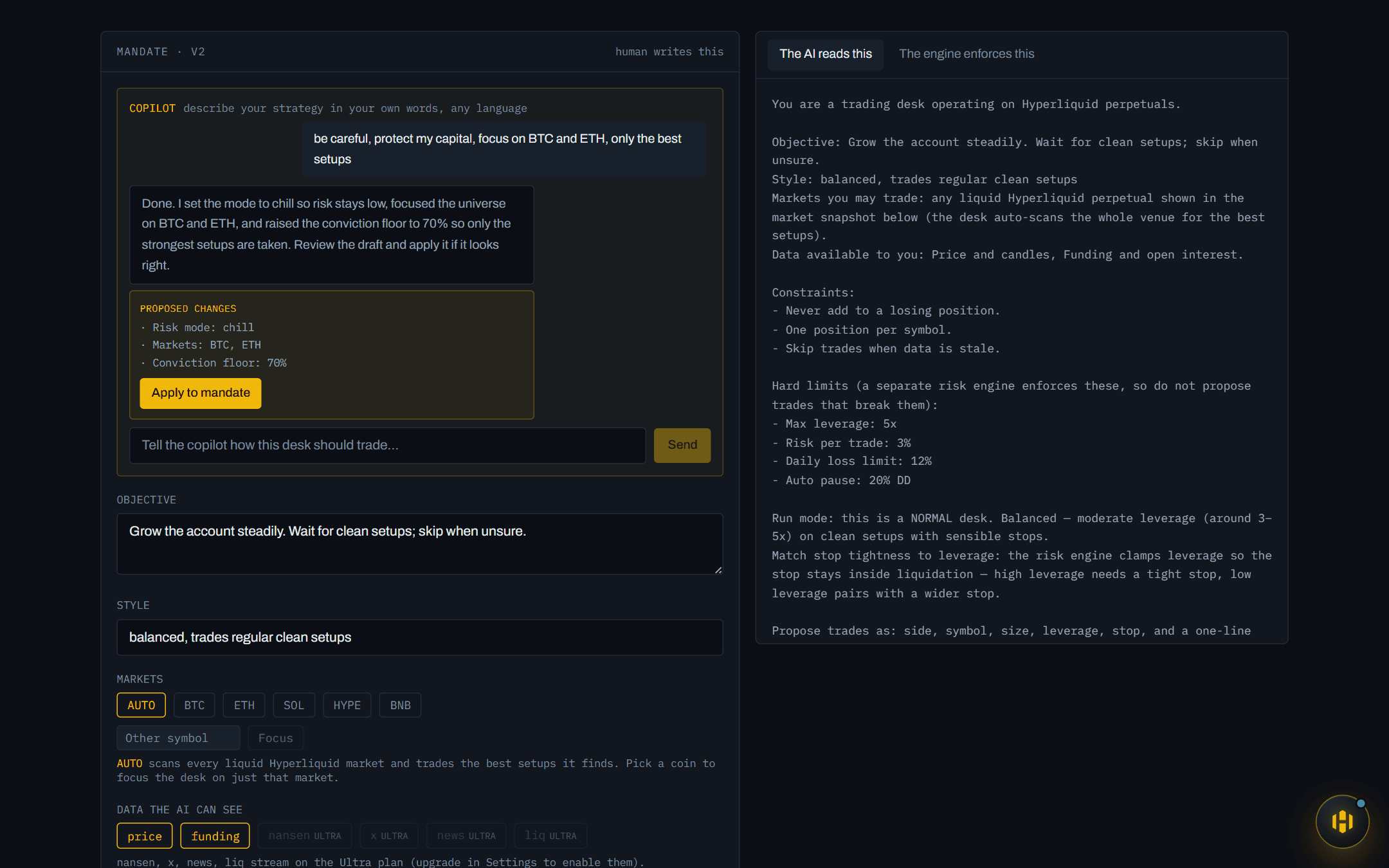
On the desk page, the Mandate section has a Copilot chat at the top. Type how you want the desk to behave, for example *“be careful, protect my capital, focus on BTC and ETH, only the best setups”*.
- 2
Read the reply and the proposed changes
The copilot answers in your language and, when it has enough to work with, attaches a draft: the exact fields it wants to change, listed plainly. It is grounded in your desk's current mandate; it proposes changes, not a blank slate.
- 3
Refine it in conversation
Not quite right? Keep talking: “a bit more aggressive”, “add Solana”, “actually take more trades”. Each turn can carry a new draft that supersedes the last.
- 4
Apply, or don't
Nothing touches your desk until you press Apply to mandate. Applied changes go through the same validated path as manual edits, and the mandate's version number ticks up so you can always see that something changed.
What the copilot can and cannot touch
- Can set: objective, style, market focus (or AUTO to scan everything), data sources, the conviction floor, margin mode, and the risk mode.
- Cannot touch: the hard risk contract: leverage caps, risk-per-trade, daily-loss locks, auto-pause. Those come from your chosen mode and are enforced by the engine, not by any AI. Ask it for looser limits and it will tell you exactly that, then offer the closest mode instead.
- Fails safe: if the AI service is unreachable, a built-in offline parser still drafts from keywords in your message, so the panel never goes dark.